

As a system owner, you value reliable power. The question of leaving your inverter on arises naturally. Instant power access offers clear convenience. Yet, this constant readiness uses energy quietly. This idle drain can impact your battery bank over time. Finding the right balance is essential. This guide explores smart operation for your needs. We will help you maximize both performance and longevity.
Understanding How Victron Inverters Operate
Victron inverters change dc power into ac power. They provide clean pure sine wave output. This is safe for sensitive power electronics. The system draws from your battery bank. It can also connect to shore power. Solar charging can feed them too. Their operation is very efficient.

What makes Victron Energy inverters different
They often integrate an inverter charger in one unit. This device can charge the batteries from AC. Power is available from multiple sources seamlessly. A key strength is their programmable logic.
You can set precise voltage parameters.
They communicate well with a BMS. This interaction protects your battery life. Their Victron community support is also excellent.
Key features of the Victron Multiplus series
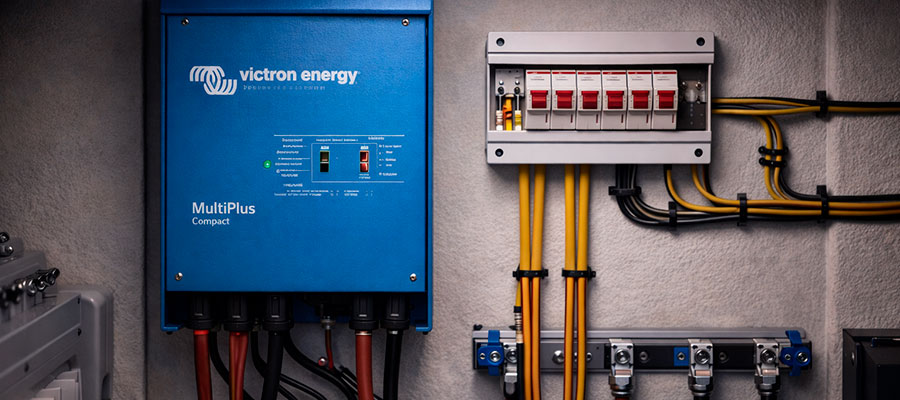
The Multiplus II offers compact power. It has a powerful solar controller built-in. It transfers between sources extremely fast. This protects your connected devices. Units like the Multiplus 3000 offer high capacity.
- PowerControl function manages grid current.
- PowerAssist boosts weak shore supplies.
- Efficient Power Conversion minimizes losses.
- Programmable Relays for system control.
How inverter standby and active modes work
In standby, the unit uses little power. It waits for a load demand. Then it switches to active mode. This prevents unnecessary battery drain. The state of charge or SOC is monitored.
- Search Mode saves more energy.
- It samples for loads periodically.
- Zero Power Switching is enabled.
- This mode is ideal for RV use.
Power Management and Battery Efficiency
Efficient systems balance loads and supply. Smart power management extends battery life. Your victron mppt solar controller helps greatly. It maximizes harvest from your solar panels. This provides enough power for daily needs. It carefully regulates battery voltage. This protects your house batteries.
The effect of continuous use on lithium batteries
Lithium batteries handle cycling very well. But continuous use still causes wear. A constant small drain the battery slowly. Always monitor the state of charge.
Avoid very low battery voltage regularly.
This stress can reduce total lifespan. Use your inverter settings wisely. Plan for enough power to run essentials.
Balancing energy draw and inverter performance
Match your inverter size to actual loads. A 2000w inverter suits many applications. Leaving an inverter on uses some power. The key is minimizing this idle consumption. Choose efficient power source switching automatically.
- Use Eco mode for low loads.
- Set appropriate shutdown voltage limits.
- Combine with solar power when possible.
- Let the system manage itself.
Optimizing efficiency with Victron Energy settings
Your Victron device has clever modes. The Quattro model manages multiple sources. Program it for your lifestyle. Set a logical inverter when not in use profile. This stops needless battery power loss.
- Enable the search mode function.
- Schedule silent periods at night.
- Adjust charging from solar panels.
- Connect all components for communication.
Impact on Lithium Battery Lifespan
Continuous use requires smart energy management. Lithium batteries have finite charge cycles. Every use affects their long-term health. Leaving your inverter on consumes power constantly. This parasitic draw cycles the battery daily. More cycles mean a shorter lifespan. Wise use extends your battery's years.
How the inverter interacts with lithium cells
The inverter demands power from the battery bank. It draws current even at idle. This small current drain adds up daily. Your 12v battery powers this idle consumption.
This constant small power consumption stresses lithium cells.
It can lead to deeper discharges unexpectedly. Managing this interaction is crucial. Proper settings create a healthy partnership.
Safe voltage levels for lithium batteries
Never let voltage drop too low. Each chemistry has a safe limit. Discharge below this harms cells. Monitor your battery voltage closely always. A good BMS provides critical protection.
- Set a high shutdown voltage.
- Use your inverter's low-voltage cutoff.
- Program alerts for low states.
- Never ignore warning signs.
Preventing over-discharge during idle operation
Idle periods pose a hidden risk. The inverter still uses a trickle of power. This can slowly drain a full battery. You must turn the inverter off sometimes. Scheduled off periods protect your investment.
- Use a timer for overnight.
- Enable advanced sleep modes.
- Disconnect when storing the system.
- Combine with solar for maintenance.
Energy Consumption When Idle
Every inverter uses power when on. This is called idle or standby consumption. It occurs even without connected loads. Leaving your inverter on constantly adds up. This drain reduces your available battery capacity. Plan for this small daily energy loss. It impacts your overall system autonomy.
Measuring standby power use in Victron inverters
Check your specific model's datasheet first. Newer models often use less power. The draw is typically in single-digit watts.
This constant small drain accumulates over weeks.
Precise measurement requires a shunt meter. Monitor it through the VictronConnect app. This data informs your usage decisions. It shows your true baseline consumption.
Comparing energy loss across different inverter models
Older units generally consume more energy. Larger capacity models often use more. Compact modern designs are very efficient. Compare the inverter specifications carefully before buying. A few watts difference matters long-term.
- Review the no-load input current.
- Note the standby power in watts.
- Consider integrated charger consumption.
- Favor models with an Eco mode.
Ways to reduce unnecessary consumption
| Method | How It Works | Key Benefit for Your System |
|---|---|---|
| Enable Eco (Search) Mode | The inverter enters deep sleep. It wakes periodically to check for loads. | Dramatically lowers idle power drain. It lets you leave my inverter on safely. |
| Schedule Daily Off-Periods | Program the inverter to turn off automatically. Set this for times with zero expected use. | Guarantees zero consumption during downtime. This is a simple, effective nightly habit. |
| Use a Master Battery Switch | Install a physical disconnect switch. Manually cut power when away for long periods. | Complete elimination of all parasitic drain. Offers ultimate control and peace of mind. |
| Connect to a BMS Signal | Wire the inverter to your battery management system. The BMS can send a shutdown signal. | Automatic protection from deep discharge. Your batteries manage their own safety. |
| Optimize Low Load Cutoff | Adjust the "search mode" sensitivity in settings. Set it for your smallest common appliance. | Reduces wake-up cycles for tiny loads. It fine-tunes the balance of convenience and savings. |
When It’s Okay to Leave the Inverter Running
Constant power may be essential for you. Some devices require uninterrupted electricity. These include medical or security equipment. Your specific needs determine the best practice. Reliable systems can handle continuous duty. Just manage the associated energy drain. Ensure your battery bank is sized appropriately.
Situations where it’s okay to leave your inverter on
An off-grid home needs constant availability. An RV with residential fridges does too. When connected to abundant solar panels. Or when plugged into reliable shore power.
Leaving your inverter on is practical then.
It provides instant AC power access. This convenience has a clear purpose. It simplifies daily living significantly.
Continuous operation in RVs and off-grid setups
An inverter powers the entire AC system. It becomes the system's beating heart. Turning it off disrupts all appliances. Automatic and seamless power transitions are crucial. The Multiplus excels in this role.
- It enables automatic generator start.
- It provides uninterrupted power transfer.
- It manages battery charging sources.
- It powers essential loads always.
Smart use of Victron Multiplus features for 24/7 uptime
Use the programmable assistant features wisely. Set a voltage-controlled relay function. Configure the automatic generator start signal. You rarely turn off the inverter off manually this way. The system manages itself intelligently.
- Enable PowerAssist for weak grids.
- Set low DC input voltage warnings.
- Use temperature-compensated charging.
- Schedule regular equalization charges.
Tips for Long-Term Performance and Safety
A good routine ensures system reliability. Periodic inspections prevent major failures. This is crucial for continuous operation. Listen for unusual audible signs from equipment. Check all cable connections for tightness. Ensure vents are clear and clean. Safety should always come first.
Routine checks for Victron Energy systems
Visually inspect your Multiplus unit monthly. Look for any warning LED lights. Feel for excessive heat during operation.
Verify the system's battery voltage readings match.
Ensure cooling fans operate freely. Check communication cables are secure. Clean dust from internal components annually. A logbook helps track these checks.
Best practices for lithium battery maintenance
Never expose batteries to extreme temperatures. Keep terminals clean and corrosion-free. Follow the manufacturer's specific guidelines. Balance the battery cells periodically if possible. This maximizes capacity and lifespan.
- Avoid consistent 100% state of charge.
- Prevent deep discharges below recommendations.
- Use a compatible battery management system.
- Ensure proper torque on connections.
Software tools to monitor inverter health
The VictronConnect app is essential. It provides real-time system data. You can update firmware wirelessly. Review detailed historical logs for trends. Alerts warn you of potential issues.
- Monitor daily energy consumption patterns.
- Check for error codes proactively.
- Track solar charger performance.
- Set up custom alarms and notifications.

