

Setting the right time on your Barigo watch might seem simple, yet this mechanical instrument deserves a bit of care and understanding. Born in Germany’s legendary Black Forest, Barigo marine instruments combine precision engineering with a timeless nautical spirit. Whether your model features an altimeter, hygrometer, or barometer display, each dial tells more than just hours — it tells the story of air pressure, altitude, and changing skies.
Before diving into time setting, take a moment to look closely at your dial and the small button or screw that lets you press the s2 or switch between time mode, altimeter mode, or alarm mode. Every indicator, from the compass ring to the thermometer scale, is designed to help you measure and interpret your surroundings, whether you’re adjusting your Barigo marine watch on a boat or checking local weather at sea level.

If you’ve just completed a battery change or finished a calibration, a quick reset will ensure your readings stay precise — including temperature, relative humidity, and barometric pressure. The chrome-plated brass or stainless steel case isn’t just about durability; it reflects Barigo’s dedication to craftsmanship and accuracy.
Every press matters when precision meets the elements. Follow along as we walk through each step of how to set your Barigo watch time correctly, keeping it perfectly aligned with both your schedule and the surrounding atmosphere.Understanding Barigo Watches
Barigo watches are more than timekeepers — they’re finely tuned instruments inspired by marine navigation and the art of precision. Each model reflects decades of craftsmanship rooted in the Black Forest, where design meets function. From barometric readings to subtle movement calibration, these pieces help you connect with both time and nature. Every Barigo watch tells a story shaped by wind, waves, and the weather forecast.
What is a Barigo watchA Barigo watch is more than a device for telling time — it’s a finely tuned marine instrument crafted with precision and heritage. Born from Germany’s Black Forest tradition, each piece reflects a long history of engineering meant to endure at sea and on land. Its dial often includes more than just hours; it may feature an altimeter, hygrometer, or barometer to read the world around you. Every Barigo watch connects the wearer to air pressure, temperature, and the rhythm of natural forces. The craftsmanship extends beyond design, balancing mechanical performance with aesthetic detail. Whether made of stainless steel or chrome-plated brass, each model carries both elegance and purpose. Wearing one feels like carrying a small part of marine navigation on your wrist.
Types of Barigo watches: Quartz clock, Barigo Captain, Barigo Penta
| Model | Description | Character | Best Use | Care Tip |
|---|---|---|---|---|
| Quartz Clock | The Barigo Quartz Clock relies on a steady electronic pulse that never skips a beat. It delivers clean accuracy without the charm of winding, giving a sense of calm consistency. | Modern, minimal, and dependable | Everyday environments — offices, cabins, or workshops | Replace the battery once its rhythm starts to fade. |
| Barigo Captain | The Barigo Captain reflects the aesthetic of a ship’s bridge, combining metal strength with refined detailing. Its dial captures the timeless feel of marine navigation, designed for those drawn to open horizons. | Nautical and classic | Marine interiors, yachts, or collectors’ displays | Keep it dry and polished to retain its mirror-like surface. |
| Barigo Penta | With its geometric silhouette and multi-measurement design, the Penta is a tribute to engineering artistry. It merges thermometer, barometer, and hygrometer readings in one balanced frame. | Contemporary and technical | Weather observation, study rooms, or travel kits | Avoid abrupt temperature shifts to maintain steady readings. |
Importance of precision in marine timekeeping
Timekeeping at sea requires consistent accuracy to guide navigation and weather decisions. Even a few seconds of error can alter your entire course.
Key reasons precision matters:
- Helps maintain correct course alignment when using a compass.
- Supports accurate weather forecast predictions through barometric changes.
- Keeps synchronization with nautical charts and tide tables.
- Ensures reliability during long-distance voyages.
Preparing to Adjust Your Barigo Watch
Before you begin, make sure your watch is in a calm, well-lit space and the dial is clean. Familiarize yourself with the mode press system, as switching between time and calibration settings often involves a simple combination of button actions. Reading your model’s pdf manual can help you understand each symbol and display detail more clearly. Preparation is all about feeling the rhythm between precision and patience.
Reading the manual for Barigo watches
The Barigo manual is designed to simplify what might seem like a complex device. Reading it helps you understand every mode press and adjustment path.
Inside you’ll find:
- Instructions for switching between time mode and altimeter mode.
- Steps for calibration of relative humidity and barometric pressure.
- Battery change procedures and reset sequences.
- Guidance on using the s2 and s3 buttons safely.
Checking the clock and barometer settings
Before making any changes, it’s wise to verify how your Barigo clock and barometer interact. The time display often synchronizes with the pressure indicator, creating a dual system for tracking both hours and weather. This relationship between time and air pressure makes Barigo watches unique among marine instruments. Always begin by observing the current readings for at least a few minutes, allowing the indicators to settle. Compare the barometer dial with a trusted weather forecast source to see if they align. If the pressure needle drifts unexpectedly, it might be time for calibration. Write down both time and pressure values — these notes will help you evaluate performance after adjustment.
Tools needed for adjustment
You’ll need just a few precise tools to make proper adjustments. Having the right items ensures the dial and display stay protected.
Recommended tools:
- Small precision screwdriver or screw set
- Soft microfiber cloth
- Plastic tweezers for battery handling
- Magnifying lens for detailed calibration
- Anti-static gloves
Step-by-Step Guide to Adjusting Time on a Barigo Watch
To start adjusting, locate the side buttons and gently mode press until you reach time setting or s3 mode. The hands or digital display will begin to flash, allowing you to move them forward or backward. Once set, confirm the change by pressing the main button again and wait for the display to stabilize. Small adjustments lead to perfectly measured moments.
Accessing the adjustment mechanism
To access the adjustment mechanism safely, remove the back cover with gentle pressure and avoid scratching the chrome or stainless steel surface. Take your time and keep the screws organized to prevent misplacement.
What to do next:
- Locate the time adjustment wheel or digital button section.
- Inspect the s3 mode area for reset options.
- Check that the battery is correctly seated.
- Keep the manual PDF nearby for visual guidance.
Adjusting the time precisely
When it’s time to set the clock, start in time mode and hold the main button until the digits or hands begin to move. Adjust slowly, noting the rhythm between seconds and minutes. Precision in time adjustment depends on patience rather than speed. For analog models, turn the crown gently in one direction only to protect the mechanism. For digital ones, mode press through the menu until hours and minutes are flashing, then confirm the setting with s2. Always verify that the time matches your local weather or nautical schedule. Afterward, give the display a few seconds to stabilize before proceeding.
Locking and verifying the settings
Once your adjustments are complete, secure the mechanism to avoid accidental shifts. A quick verification ensures your effort holds steady in motion.
Steps to finalize:
- Tighten the screws evenly.
- Mode press to exit setup.
- Compare displayed time with a reference clock.
- Observe the barometer for stability.
Maintenance Tips for Barigo Watches
Keeping your Barigo watch in peak condition means regular cleaning, battery checks, and occasional recalibration. Avoid exposure to magnetic fields or extreme temperatures, as these can affect the internal readings. You can always refer to the maintenance pdf provided with your model for specific instructions. Consistent care keeps precision alive over years of use.
Polishing brass cases
A Barigo brass case develops a natural patina that many owners find beautiful, yet polishing can restore its original glow. Use a gentle polish specifically made for chrome-plated brass or stainless steel and apply it with a soft cloth. Avoid harsh chemicals that could dull the surface or weaken seals. Move in circular motions to maintain the natural texture of the metal. After cleaning, use a dry microfiber cloth to remove any residue. Repeat the process occasionally, not excessively, to preserve the natural tone of the case. A clean brass finish reflects both care and tradition.
Cleaning the quartz clock mechanism
A quartz movement needs occasional cleaning to maintain accurate vibration frequency. Dust or moisture can interfere with its steady pulse.
Recommended steps:
- Remove the back carefully with the correct screwdriver.
- Use compressed air to clear out particles.
- Inspect the battery contacts.
- Reassemble gently without overtightening screws.
Protecting your watch during marine use
Marine conditions can challenge even the best-built instruments. Salt, humidity, and constant temperature shifts require awareness and gentle care. Proper protection keeps your Barigo watch alive through every tide. Always rinse it with fresh water after sea exposure and dry it thoroughly. Avoid leaving it in direct sunlight for long periods. Store it in a padded, dry container when not in use. This routine guards both the movement and finish from corrosion.
Using Barigo Watches in Marine Navigation
At sea, a Barigo watch serves as more than just a timepiece — it’s a compact navigator that reflects changes in air pressure and helps you anticipate the weather forecast. When paired with other nautical tools, it provides a reliable way to track time and conditions under shifting skies. On the open water, time and nature move in perfect coordination.
Reading time alongside the barometer
Barigo watches are designed so that time and air pressure readings complement one another. By reading both at once, you can understand not just when you are, but what the sky might do next.
Quick guide:
- Check the clock first for your current local time.
- Observe the barometer needle’s direction.
- Rising pressure often suggests clearer weather; falling indicates change.
- Note both values for your daily log
Barigo weather station features
A Barigo weather station combines several instruments — thermometer, barometer, and hygrometer — into one elegant form. This trio offers a complete picture of temperature, humidity, and barometric pressure in real time. Each gauge is manually calibrated and designed for steady readings. The system helps predict short-term changes in local weather, perfect for marine or home use. Stainless steel framing and glass dials enhance both function and aesthetics. For best results, keep it mounted at eye level and away from direct drafts. Over time, you’ll learn to read its subtle shifts like a living compass of the atmosphere.
Comfort meter and marine applications
The comfort meter displays temperature and humidity, showing how the air feels inside a cabin or ship. It’s a small but meaningful guide to living conditions at sea.
Practical uses:
- Monitoring relative humidity levels.
- Balancing cabin temperature with ventilation.
- Preventing condensation on navigation equipment.
- Tracking comfort for longer voyages.
Troubleshooting Barigo Watch Issues
If your watch stops responding or the display seems off, try a quick mode press to reset it or switch to s3 mode for recalibration. Low battery or moisture can also cause temporary issues, so inspect these before seeking service. You can always check the official pdf guide for a clear overview of solutions. Every small fix brings your instrument back to life.
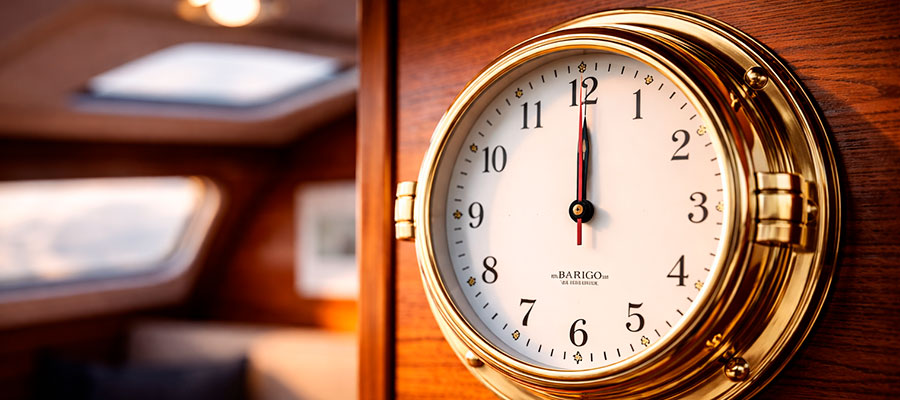
Common time adjustment mistakes
Many users accidentally rush through the adjustment process or skip verification. The most common mistake is changing modes too quickly before the settings are saved. This can cause the hands or display to freeze temporarily. Always confirm with a clear mode press and wait for the indicators to respond. Double-check that you are in time mode, not alarm mode. Keep the manual nearby for button reference. Practicing patience will save you from unnecessary resets.
Fixing quartz clock errors
Quartz movement errors often appear as minor time drift or a frozen display. Small adjustments and basic cleaning can usually restore full accuracy.
Steps to fix:
- Check the battery voltage.
- Clean the contacts with a dry cotton swab.
- Reset by pressing s3 or the designated reset point.
- Wait one minute before restarting the mechanism.
When to consult the manual
| Situation | Why It Matters | What to Look For | Helpful Suggestion |
|---|---|---|---|
| After a Battery Replacement | A new battery may reset the inner settings, altering time or calibration. Check the manual to realign modes and restore proper rhythm. | Instructions for reactivation and button sequence | Keep the PDF file saved on your device for instant access. |
| When Switching Modes | Each Barigo watch uses its own logic for mode press and time adjustment. Refer to the manual when the display doesn’t respond as expected. | Diagrams showing s3 or calibration sequences | Take a moment to read before pressing any buttons repeatedly. |
| During Calibration or Setup | Air pressure or temperature readings may need alignment with local conditions. The manual explains how to sync readings with your current environment. | Step-by-step calibration visuals | Do it in a stable, quiet room for best accuracy. |
| If the Display Freezes or Misbehaves | A software glitch or mispress can stop the indicators from moving. Follow the reset section in the manual before assuming mechanical failure. | Troubleshooting and reset details | A short pause and careful reading often solve the issue. |

