When a Mastervolt device suddenly stops responding or shows an unfamiliar error, it can feel frustrating — especially if you rely on it for your boat, RV, or off-grid setup. These power systems are built for reliability, but even the most advanced units, from the EasyView 5 display to the CombiMaster inverter, sometimes need a reset to bring everything back online.
Whether you’re dealing with a voltage drop, a frozen software screen, or an offline MasterBus connection, knowing how to reset your unit properly can save you time and stress.
Before you call your dealer or tech support, a few quick steps might restore the charge, reconnect the lithium batteries, and get your electrical system running smoothly again. This guide will walk you through how to safely disconnect, test, and reconnect your cables — helping you regain full control of your Mastervolt device without risking your settings or load.

Understanding Mastervolt Devices
Mastervolt systems are designed to manage energy efficiently on boats, RVs, and other mobile setups. They handle everything from charging the batteries to powering the AC load, keeping your setup steady and reliable. Each device operates as the “master” of its electrical environment, ensuring smooth coordination between power sources and consumers. With the right setup, you can monitor voltage, switch modes, and control your system remotely through the control panel or EasyView display.
What is a Mastervolt device
A Mastervolt device is a high-quality power management unit designed to control and distribute electrical energy on boats, RVs, and off-grid systems. It manages charging, inverting, and distributing current efficiently while keeping all volt levels balanced across the network. These devices work as the “brain” of your electrical setup, automatically adjusting power flow to where it’s needed most.
Whether it’s a Combi inverter, Mass charger, or monitoring system, Mastervolt products ensure reliable operation in demanding conditions. The system allows seamless switching between shore, generator, and battery sources without interrupting onboard power. Most models connect to a central EasyView display or remote control panel, providing a clear look at every volt and amp. With proper setup, they help maintain safe and consistent power wherever you travel.
Types of Mastervolt inverters and chargers
| Type | Description | Typical Use | Key Feature |
|---|---|---|---|
| CombiMaster Series | Compact units that combine an inverter and charger in one device, built for smooth AC switching. They’re ideal for boats and RVs that need a steady power source while charging the batteries. | Used in small yachts, campervans, and off-grid systems | Seamless transfer between shore power and battery power |
| Mass Sine Series | Heavy-duty inverters made to handle continuous loads with stable output, even during voltage fluctuations. | Designed for professional marine setups or mobile workshops | Delivers pure sine wave energy for sensitive electronics |
| Mass Charger Series | Dedicated chargers that restore deep-cycle or lithium batteries efficiently without overheating. | Suitable for long voyages and engine-based charging systems | Multi-stage charging for extended battery life |
| Mass Combi Ultra | A hybrid powerhouse that supports both inverter and charger functions while connecting to smart panels and remote displays. | Used on larger vessels or RVs needing advanced energy control | Smart power management through MasterBus connectivity |
| Power Charger Series | Lightweight chargers perfect for smaller power systems or emergency setups where space is limited. | Great for weekend boats and compact RVs | Fast, temperature-compensated charging for short cycles |
Why resetting may be necessary
Sometimes a reset can solve communication issues, voltage errors, or software glitches. A proper reset often restores normal function without needing complex repairs.
Typical reasons to reset include:
- Device not showing voltage readings
- System locked in standby mode
- Firmware not responding
- Sudden drop in volt output
- Display showing “offline” or blank screen
Checking the owner manual
| Step | Description | Why It Matters |
|---|---|---|
| Locate the correct model number | Check your Mastervolt label or EasyView screen for the exact device name before downloading any manual. | Ensures you’re reading the correct guide for your inverter or charger. |
| Access the PDF online | Go to the official website or scan the QR code on the panel sticker to find the matching digital manual. | It provides detailed settings, wiring diagrams, and software tips. |
| Review reset and safety sections | Focus on reset instructions, BMS integration notes, and AC connection limits before making adjustments. | Helps avoid setup errors that might interrupt charging or load operation. |
| Consult dealer notes | Many manuals include service or dealer reference pages that explain troubleshooting signals. | Makes future repairs or firmware updates easier to understand. |
| Keep a copy onboard | Store a printed or offline version in your control panel area or waterproof folder. | So you can check system settings even when you’re offline or at sea. |
Safety precautions before resetting
Before starting the reset, confirm that all power inputs are disconnected. Safety comes from preparation, not speed.
Make sure to:
- Switch off AC and DC sources
- Disconnect shore power cables
- Wait for voltage to discharge completely
- Wear insulated gloves if needed
- Keep a multimeter nearby to check volt levels
Ensuring proper shore power connection
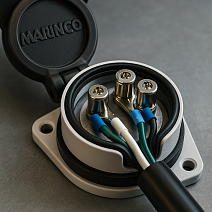
Before you reset, verify that shore power is stable and properly connected to the Mastervolt device. Fluctuations in incoming voltage can cause the inverter or charger to misread signals and trigger unnecessary errors. A clean, steady shore power feed ensures your Mastervolt system starts up smoothly after any reset. Check that the inlet cable isn’t corroded or wet, as even small signs of rust can affect performance.
Make sure the plug fits tightly into the connector and that the volt reading from shore matches your system’s input range. If the voltage is too high or too low, disconnect and test the supply before reconnecting. Doing this quick check can save time and prevent repeat resets later.
Resetting the Mastervolt Device
To reset your Mastervolt device, locate the control panel and use the switch or soft reset function as described in the manual. Wait for the screen or LED indicator to go dark, then reconnect power and allow the system to reboot fully. This process refreshes the internal software and helps restore reliable operation across all connected components. Once restarted, verify that voltage readings and BMS values are stable before resuming normal operation.
Step-by-step reset process
Resetting your Mastervolt device is simple once you know the correct sequence. Follow each action carefully for the best results.
Steps to follow:
- Turn off all connected loads
- Disconnect both AC and DC inputs
- Wait 60 seconds for internal capacitors to discharge
- Reconnect the DC input first, then AC
- Press and hold the power button for 10 seconds until the display reboots
Soft reset vs factory reset
Not all resets are the same, and understanding the difference helps protect your settings. A soft reset refreshes performance without erasing configurations.
Here’s the distinction:
- Soft Reset: Restarts the system, keeping your volt and configuration data intact
- Factory Reset: Returns everything to default, wiping stored preferences and network IDs
Resetting Mastervolt Mass Combi and Combi models
The Mass Combi and CombiMaster models have specific reset steps built into their software. Both can perform a full or partial reset depending on what issue you’re addressing. These devices automatically stabilize volt output after a reboot, ensuring smooth power restoration. To start, turn off all loads and switch the unit into standby mode.
Hold the “on/off” button for several seconds until you see the LED flash sequence begin. Once restarted, check the EasyView or control panel to confirm volt readings are back to normal. If errors remain, repeat the process or perform a factory reset from the settings menu.

Troubleshooting After Reset
If the device doesn’t respond or still shows an error, check the cables and connections to make sure everything is properly secured. Sometimes, the BMS or bypass circuits may need an additional restart. Even a loose wire can stop the system from charging the batteries or sending power through the control panel. When in doubt, consult your dealer or a verified repair guide to test each component safely.
Common issues after resetting
Sometimes a reset doesn’t solve everything on the first try. Most post-reset problems come down to wiring or calibration mismatches.
After resetting, check for:
- Unstable volt readings
- Error messages on the control panel
- BMS communication failure
- Incomplete software reboot
- Load not responding when switched on
Checking battery status and connections
After any reset, always verify that your batteries are properly connected and delivering consistent voltage. A weak or unbalanced battery bank can interfere with system startup and cause false volt readings. Stable battery voltage ensures your Mastervolt system operates as designed after resetting. Check terminals for corrosion, clean them with a soft brush, and retighten the cables. Make sure your BMS is online and showing accurate data before turning on heavy loads.
Using Mastervolt forums for support
Mastervolt users share practical advice and troubleshooting tips in various online communities. These forums are full of real-world experiences that can guide you through even complex resets.
Most helpful places include:
- Official Mastervolt community forum
- Sailing and RV electrical discussion boards
- Reddit threads on marine power systems
- YouTube tutorials from verified technicians
- Local dealer Q&A pages
Maintaining Your Mastervolt Device
Regular maintenance helps ensure consistent performance and prevents emergency issues later. Clean the control panel, keep cables corrosion-free, and run a brief test on the AC and DC connections monthly. A well-maintained Mastervolt setup can operate reliably for years, even under demanding marine or off-grid conditions. If you notice voltage drops or flickering readings, inspect the switches and connectors before they affect the overall system.
Regular maintenance tips
Consistent maintenance keeps your Mastervolt device running efficiently for years. Clean all vents, check cable insulation, and inspect connectors for moisture every few months. Even small tasks, like checking volt readings under load, can reveal issues early. Make sure the software stays updated and record performance data regularly. A quick checkup after long trips can help detect battery imbalance or loose wiring. Keep your system dry, cool, and dust-free to prevent corrosion or overheating.
Monitoring battery performance
Your Mastervolt system depends on balanced battery health to function correctly. Monitoring volt levels under charge and discharge cycles helps prevent future failures.
To track performance:
- Use the EasyView or MasterBus monitor
- Record voltage readings weekly
- Inspect cables for oxidation
- Watch for irregular charging patterns
- Replace old batteries showing inconsistent volt output
Updating device firmware
Firmware updates fix small software bugs and improve system stability. A new firmware version often enhances volt management and device communication.
Before updating:
- Visit Mastervolt’s official website
- Download the latest firmware for your model
- Connect via MasterBus or USB cable
- Follow the update prompts carefully
- Restart the device once installation completes
Useful Resources and Guides
If you prefer visuals, there are helpful tutorials on YouTube that show the reset process step by step. Learning directly from user demos can make technical tasks feel more approachable and less stressful. You can also download official PDF manuals from Mastervolt’s website or ask your dealer for remote tech support if the reset doesn’t resolve the issue.
Video tutorials for Mastervolt reset
Watching step-by-step tutorials makes the reset process much easier to follow. Visual guides help you see where to press, switch, and reconnect for each volt check.
Best tutorial sources:
- YouTube channels dedicated to marine electrical systems
- Mastervolt’s official video library
- Boating forums sharing real user resets
- RV tech guides explaining CombiMaster setups
- Training clips from certified installers
Owner manuals and technical guides
Your owner manual contains detailed schematics, settings, and volt parameters unique to your model. Reading it before performing resets can prevent simple mistakes.
Key manual sections to review:
- Reset procedures
- AC/DC wiring diagrams
- Battery voltage calibration steps
- Safety shutdown instructions
- MasterBus connection charts
Mastervolt support and community forums
If you’ve tried everything and still face issues, Mastervolt support is ready to help. Their technical team can walk you through advanced diagnostics or provide firmware files if needed. The community forums also serve as a reliable backup when official support isn’t immediately available. Many users share specific volt readings, wiring solutions, and error code fixes. Between the dealer network, YouTube experts, and forum members, you’ll never be stuck for long.